Bastl — electroacoustic instrument
Grain Kalimba
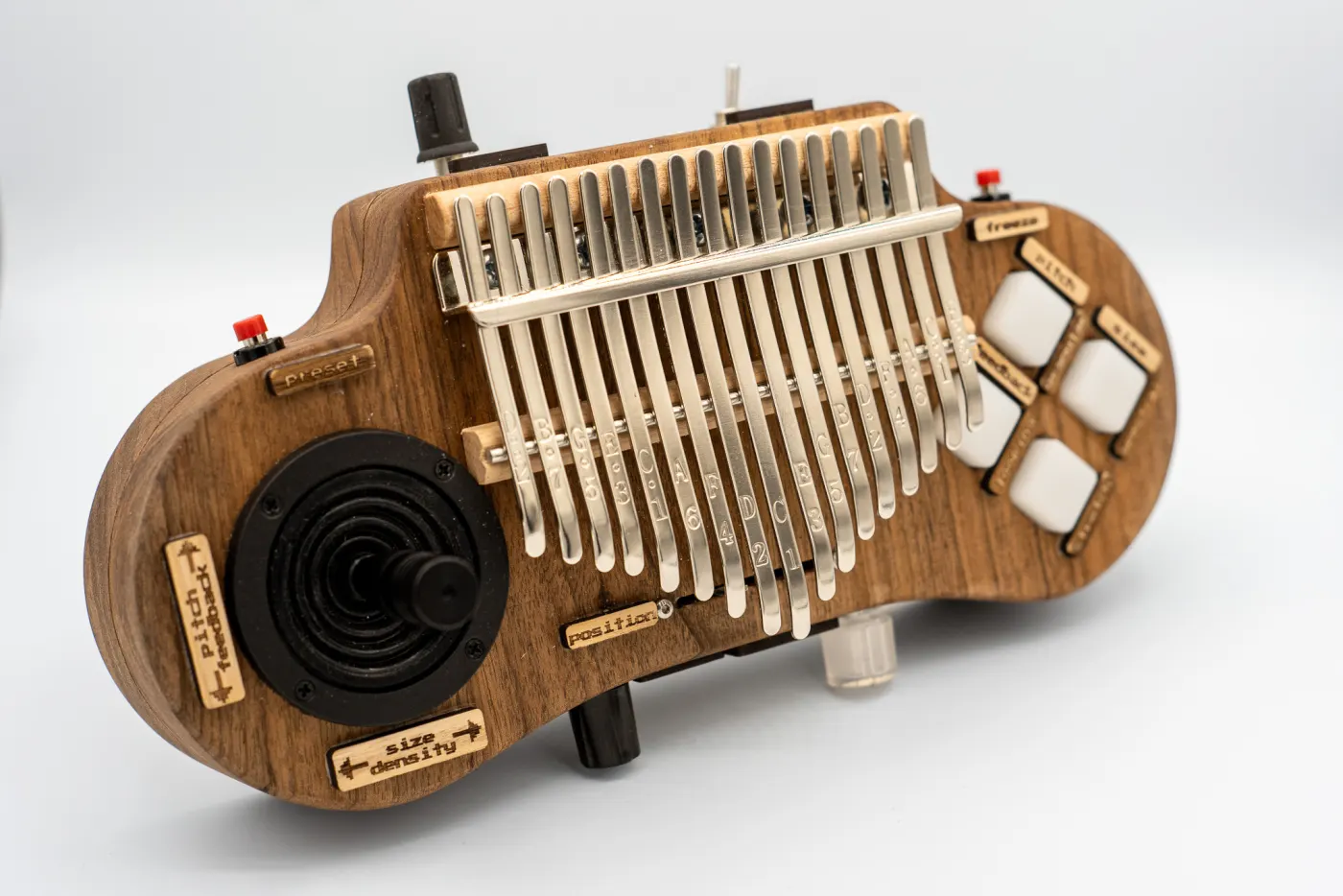
A kalimba made of solid oak, played like a game controller – joystick, buttons and a motion sensor break its sound into a thousand tiny grains.
- FH Joanneum · 2023/24
- Oak · CNC
- Granular synthesis

↑ Play me – tap or swipe across the tines, the buttons and joystick change the sound
What is the Grain Kalimba?
A thumb piano with a built-in sound cloud.
A pickup captures the metal tines, a small computer inside the body breaks the sound into tiny grains and puts it back together – into pads, loops and textures.
Everything is controlled right on the instrument, with a joystick, buttons and knobs. No laptop needed. Created as a project during my studies at FH Joanneum.
Listen
Soundcheck
At first it sounds like a kalimba. Then it doesn’t.
 Play videoPlaying the video loads it from YouTube.
- 2026
An electroacoustic instrument
Plucked notes, sent live through the granular synthesizer: frozen, stretched and layered into soundscapes.
From design to instrumentin six steps
- 01
Design
Sketches and 3D models in Fusion 360: how do you hold a kalimba that’s also supposed to be a joystick?
- 02
Interface
Control prototypes with TouchOSC on a tablet: how many buttons does it need – and where do they go?
- 03
Prototype
Schematic in Fritzing, then everything onto the breadboard: Teensy, buttons, LEDs and joystick in the first test.
- 04
Milling
Body of solid walnut, milled on my CNC. The first one couldn’t take the tension of the tines – the second one could.
- 05
Electronics
Controls on top, underneath a Raspberry Pi Zero 2 W, sound card and power supply. Lots of soldering in very little space.
- 06
Software
The code of Mutable Instruments Clouds, compiled for Linux and built into Pure Data – starts automatically on power-up.
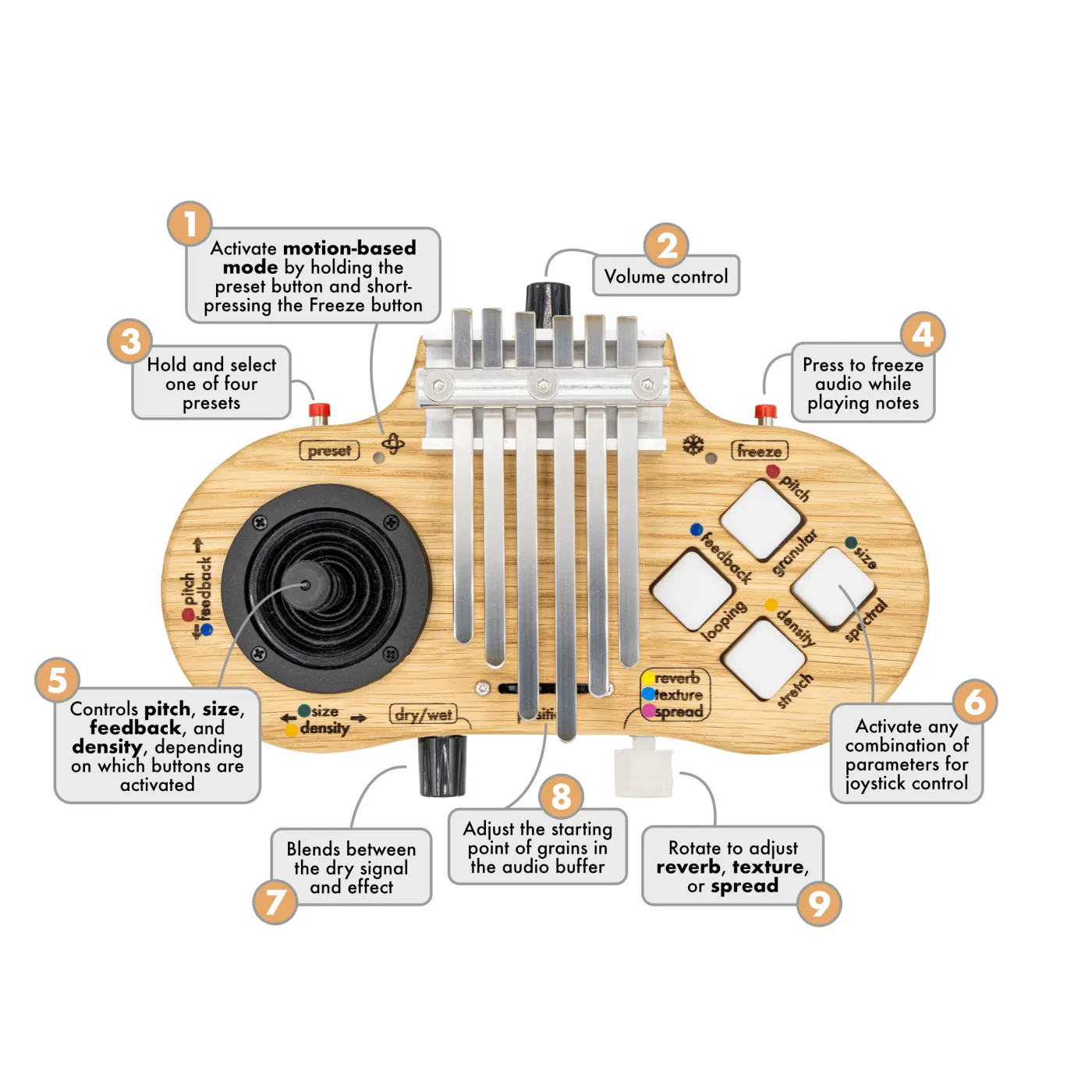 User manual of the 2.0
The controlseverything in one hand
- Joystick + 4 pads
- The pads choose what the joystick shapes – pitch, size, feedback and density, several at once if you like.
- Preset
- Hold it and pick a playing mode with one of the pads: Granular, Looping, Stretch or Spectral.
- Freeze
- Freezes the sound while you keep playing.
- Position
- A slider chooses where in the sound buffer the grains start.
- Dry / Wet
- Blends the real kalimba with the sound cloud.
- Rotary knobs
- Encoders with LED rings for reverb and texture spread.
- Volume
- A knob on top of the body.
- Motion mode
- A built-in motion sensor turns the whole instrument into a joystick: X and Y come from the movement. To switch it on: hold Preset, briefly press Freeze.
Tech
Under the hood
Two paths run through the instrument: one for the sound, one for the hands.
Sound
- KalimbaMetal tines
- PickupPickup mic
- Sound cardAudioInjector Zero
- Pure Data + CloudsRaspberry Pi Zero 2 W
Control
- HandsJoystick, buttons, sensor
- BMC firmwareTeensy
- MIDI over USBRaspberry Pi
I also tried a Bela board and a Raspberry Pi 4 with Pisound. One didn’t like my patch, the other didn’t fit in the body.
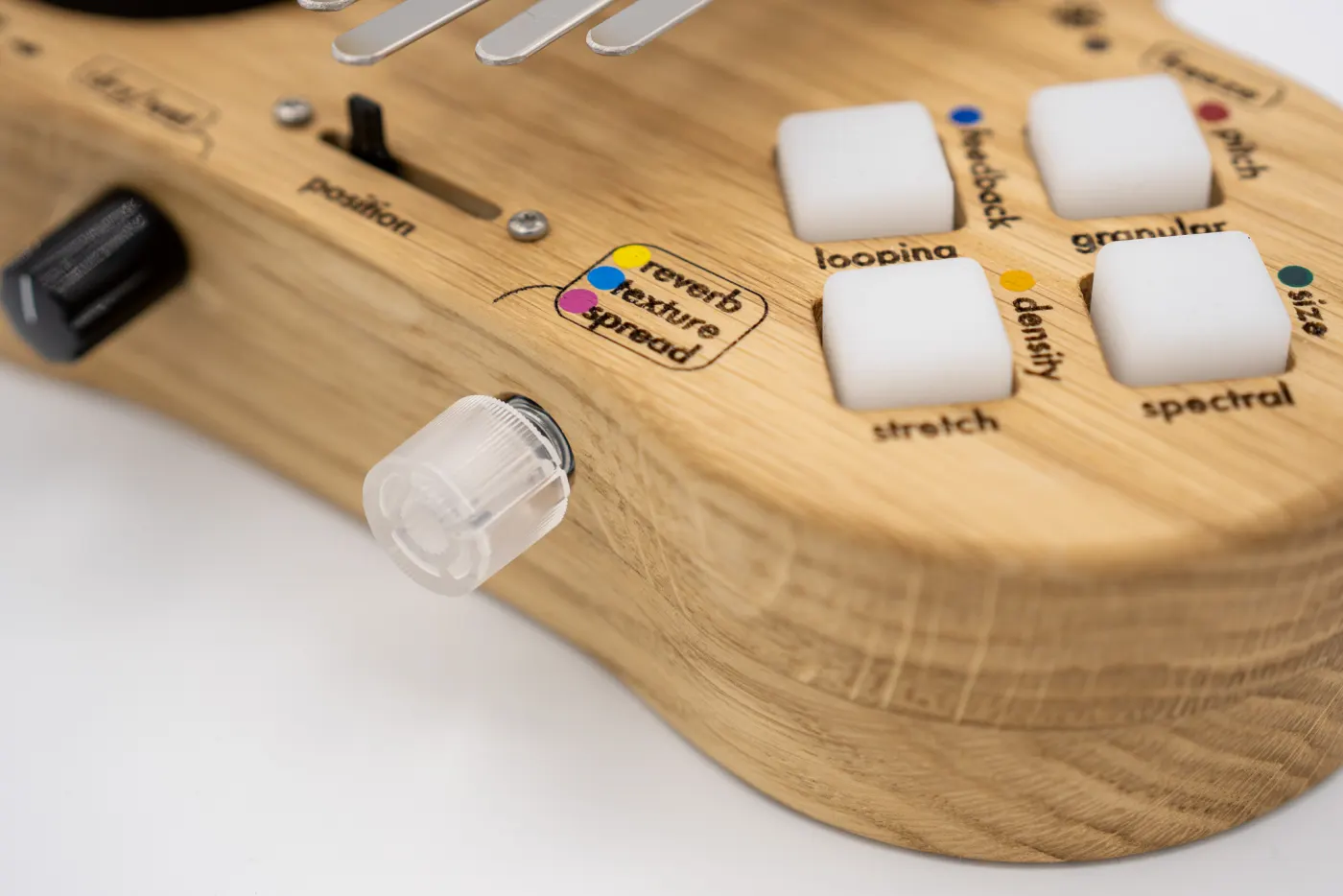 Pads & knobs of the 2.0
Workshop journalfrom the first sound test to the 2.0
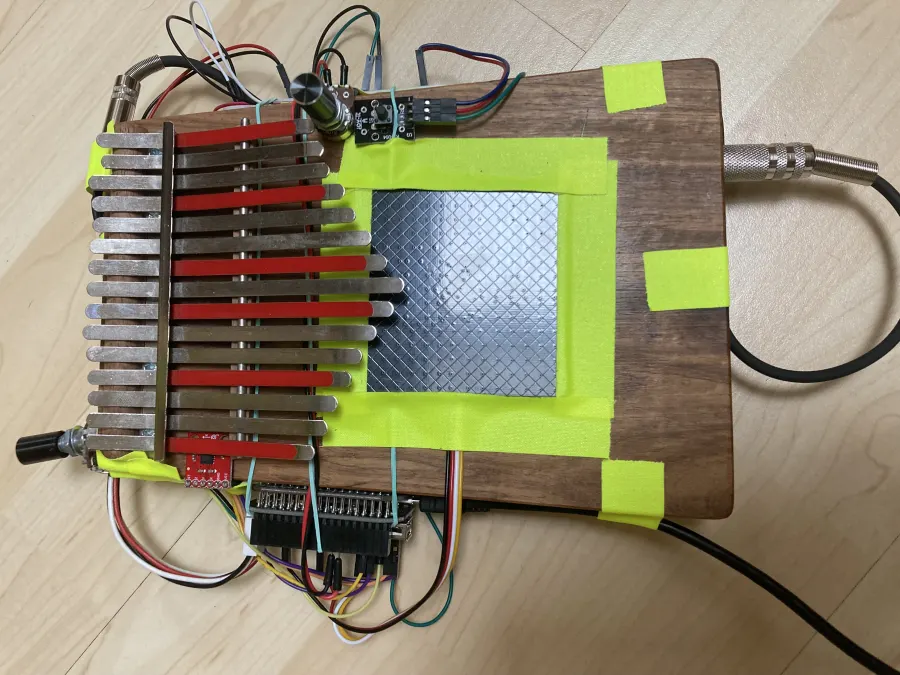 First sound test
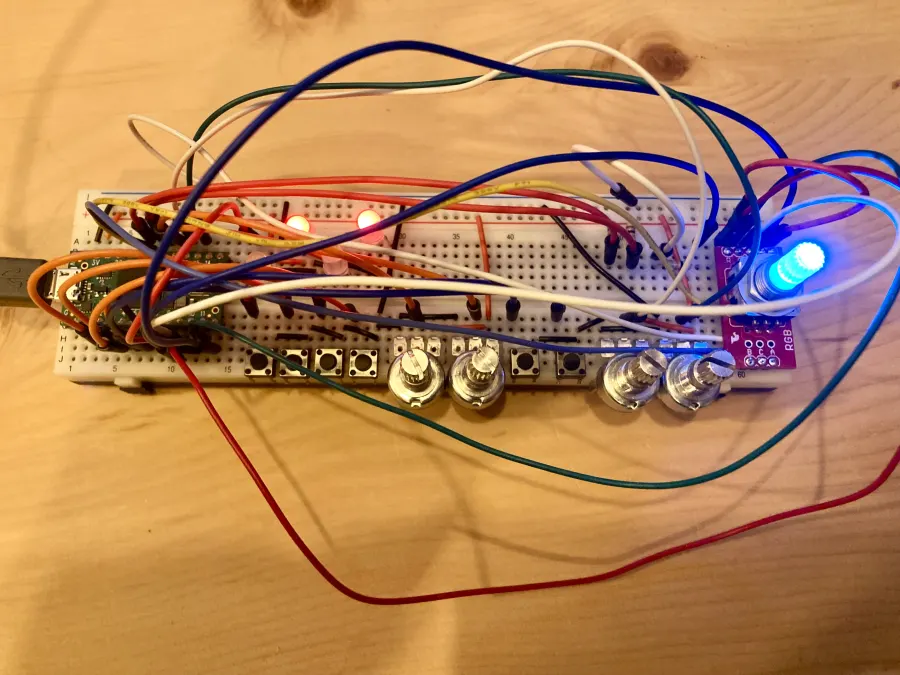 On the breadboard
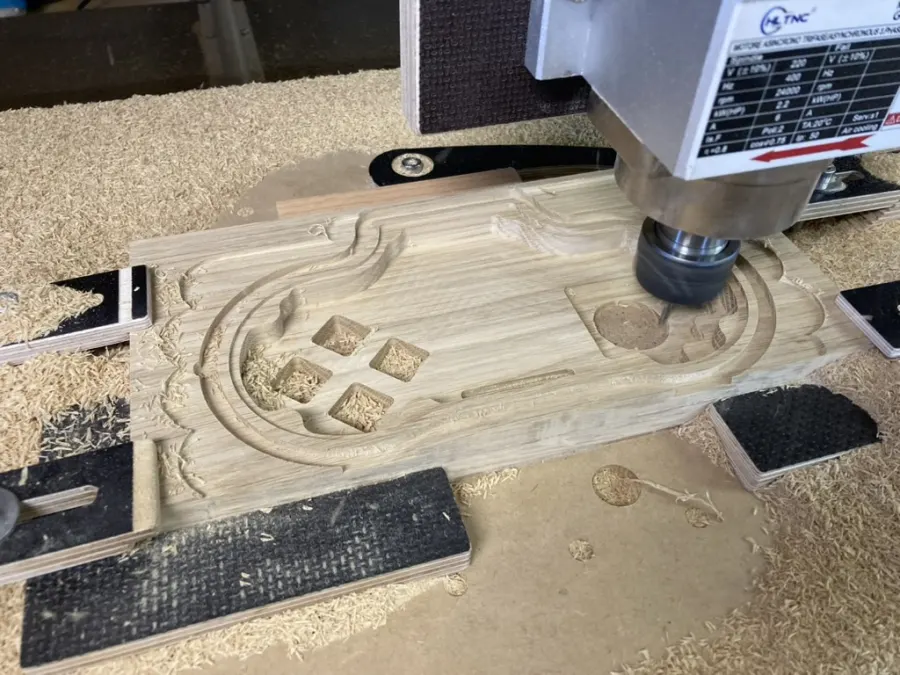 Milling on the CNC
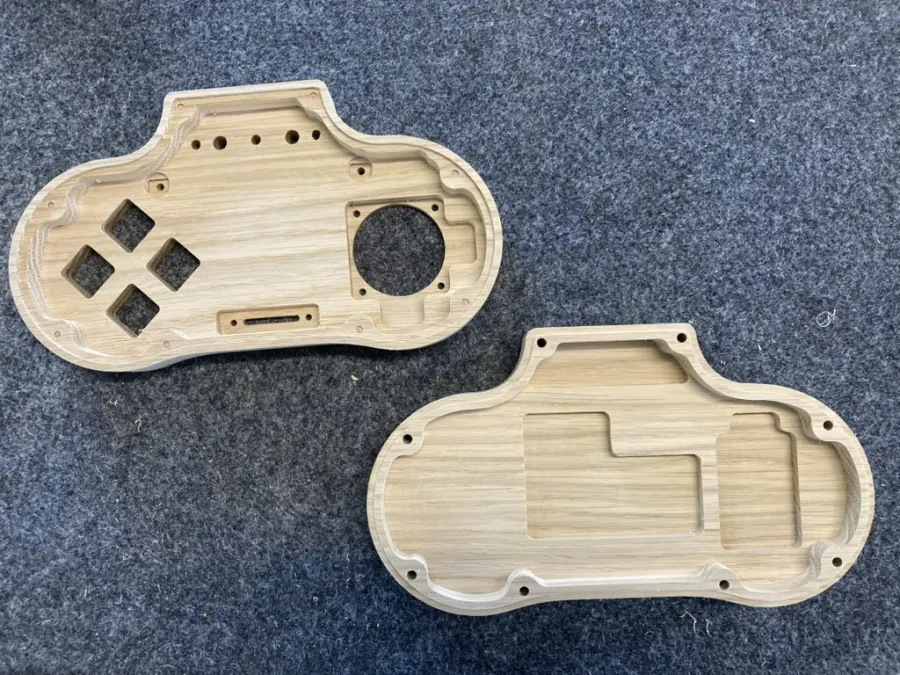 Blank after milling
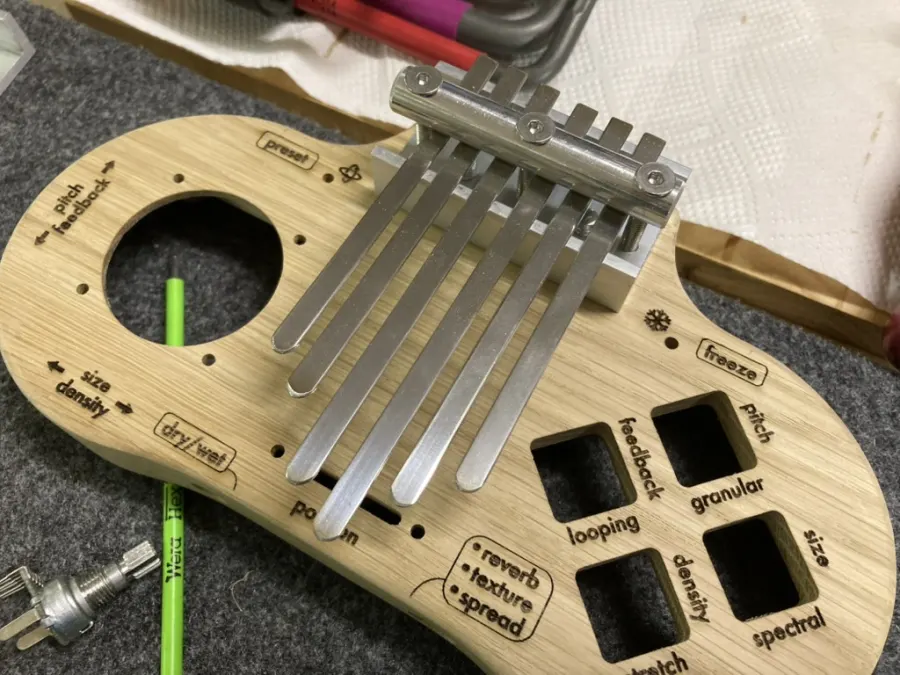 With laser engraving
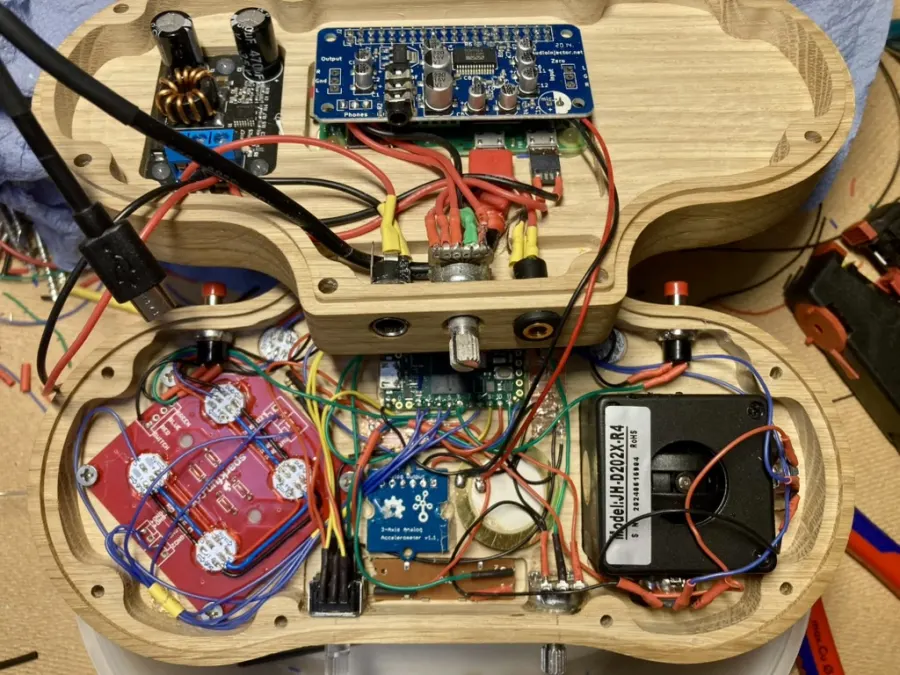 Electronics in the case